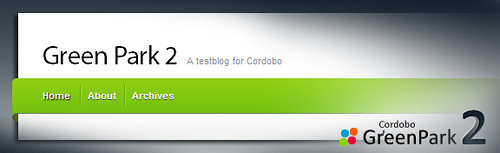
Cordobo Green Park 2 (GP2) has reached the Beta status after 8 Alpha revisions. The download is available at my WordPress Themes Page.
Apart from a new header graphic and more appealing forms and buttons, GP2 comes with a lot of code and CSS improvements, to render the website even faster along with typography and SEO optimizations. The Beta needs ~3KB less code on each created page compared to the latest alpha. The new settings page located at the WordPress Admin section, to configure Feedburner, Adsense and Analytics, has been cleaned up although.
Download Green Park 2 Beta 4 | Demo (Changelog)
Like it? Buy me a cup of coffee ;)
As you might know, coders love coffee — and I need a lot. If you like my free themes, feel free to send me 1$ for a coffee.
Comments
180 responses to “Cordobo Green Park 2 Beta 4”
Hi Andreas,
the GP2 Beta 4 not support AddThis and Auto Highslide of the WordPress plugins,if use those plugins the template layout has malpositioned.
AddThis : http://wordpress.org/extend/plugins/addthis/
Auto Highslide :
http://wordpress.org/extend/plugins/auto-highslide/
how can i fixing the bugs?
thx
and , the bugs is base the IE7,
Another,
view this link : http://cordobo.com/1233-cordobo-green-park-2-beta/comment-page-2/#comments
pls looking for the picture : http://www.flickr.com/photos/codylee/3767640115/
Hi Cody, I can’t see it, the picture is too small because of the limitations of free flickr members. Can you please upload it to another hoster? Thanks!
Sorry! Andreas!
in the browser of IE7 have some bugs! in others browser looks very nice !
1. visit this link ”
http://cordobo.com/1233-cordobo-green-park-2-beta/comment-page-2/#comments ” you can find the layout error,look the scrn pic by here: http://www.jankr.com/wp-content/uploads/scrn/CordoboGreenPark2Beta4.gif
2. use “AddThis” plugin, layout error too,look the scrn pic by here: http://www.jankr.com/wp-content/uploads/scrn/AddThis.gif
3. use “Auto Highslide” plugin,the browser Bottom ScrollBar will looks bad,look the scrn pic by here: http://www.jankr.com/wp-content/uploads/scrn/ScrollBar.gif
Hi cody,
thanks for the report.
Regarding:
1. My fault and only on my site. Fixed.
2./3. I have a look at these two issues later today.
Thanks again!
Hi,
Great, great great theme. I’m looking at using it for a new web site I’m developing. I did notice, however, as I’m setting up the site that if I select to use a page as the “home” (instead of the blog), the page displays twice, once as the “Home” page and once as the page title. Is this a configuration issue? I haven’t run into this problem before with other themes.
Hi Mariano,
open header.php and remove the line “<li class="page-item-home <?php if ( is_home() ) { ?> current_page_item <?php } ?>"><a href="<?php echo get_option(‘home’); ?>/">Home<a></li>”
I’ll add this to the readme.txt as well. Thanks!
Great help. Thanks!
Andreas,
Thank You! This is such a nice theme. Right now, I just want to get the page order fixed so that they are in descending order. I’ve tried most of the plug-ins but they don’t work. I’m new with code but could probably change some part of it if that was the answer. Does anyone know how to get the posts in order of newest to oldest? I do not know why this is not the default setting for wp in the first place! : P thanks folks.
Hi Nancy, greetings to Canada and thanks for the coffee ;-)
It is the default setting for WP, the newest post is always in the first place, except if you have one (or more posts that are set as sticky.
1. Click on “edit this entry” on the article dated back to July 6th, select “Publish” on the right side so it’s open, click “Edit” behind “Visibility: Public” and check if the checkbox “Stick this post to the front page” is enabled. If so, disable it and save your changes.
2. Try a 3rd post and check whether it’s above the article from July 20th but below the one from July 6th. If so, the article on top (dated July 6th) is set as “sticky” in some other way, maybe caused by an older theme or some plugin. Which plugins do you use?
It worked! I am so glad and relieved!
Thank you, Andreas!
Much appreciation,
Nancy : )
I’m glad it works ;)
Thanks for this great clean theme
Hi,
How can the author of each post?
example: “June 29th, 2009 by Andreas Jacob”
Thanks from Europe, Romania.
Hi MS,
open the file “index.php” and go to line 12:
<!– by <?php the_author() ?> –>
remove “<!–” before and “–>” after “by <?php the_author() ?>”, save the file and upload it to your themes folder.
Hi Andreas,
Thank you for making such a wonderful theme available to everyone!
I especially love how easy it was to set up the Twitter feed in the sidebar.
My only frustration is I can’t seem to get rid of the “About” text in the sidebar. It says to edit in WordPress admin. So I go to GreenPark 2 settings, remove the Title and the Content and click Save Changes, but it comes right back.
Thanks!
Elizabeth
Any suggestions
Hi Elizabeth,
open sidebar.php and remove this code:
<li id="about" class="clearfix"><div class="sb-title"><?php echo get_option('greenpark2_sidebar_about_title'); ?></div>
<ul>
<li>
<?php echo get_option('greenpark2_sidebar_about_content');?>
</li>
</ul>
</li>
Save the file and upload it to your themes folder.
First i thanking you to provide great theme. Still some suggestions for you to take this theme in to next level.
1. Add new feature, to show categories instead of pages in top navbar via admin.
2. Different colour themes via admin
3. IE6 transparency in top nav bar.
Why dont you provide simple steps to resolve the above issues as new post as well as will update these in upcoming versions of this theme.
I agree with you on #1
Hi Andreas,
I am completely in love with your template. The only thing is that I have more than 5 subcategories and Greenpark 2 doesn’t want to show them…..please look at health & wellbeing. More than 5 pages, but only 5 shown. It must be possible to change this.
Furthermore no comments. A real peace of art and so up to date.
Andreas,
Last problem seems to halve solved itself. Only problem now is that the menus show up below the Google add. Please look @ http://www.fivicons.com/i-watch and try the Health & Wellbeing menu. Because this one has more than 4 subcategories they do show, but underneath the add. Any solutions or should I completely remove these kind of adds on top of my pages?
With regard and admiration!
Hi Menno,
thanks for the report regarding the 3rd level navigation. I checked it on a local server and it happens here as well. It’ll be fixed in Beta 5. Regarding the ads, I try to fix this to so nobody has to remove them from their site. But in the meanwhile (till Beta 5) it looks a little bit strange, so it’s up to you ;)
Hi Andreas,
great update. 3rd level works with the adds. Still underneath the embedded movies though. Other issue I want resolved is the fact, that the inlink pop-ups also appear underneath the movies. Do you know how to define the correct order of appearance. In my case: background, widgets, movies, text, adds, inlinks & menus in exactly that order.
Hopefully you can do something with this info.
With regards and even more admiration because of the quick reply! Great work, man
This is due a limitation of flash files, they are only on the highest level.
Nevertheless, there are several solutions out there to fix the flash issues:
http://joshuaink2006.johnoxton.co.uk/blog/82/flash-content-and-z-index
http://veerle.duoh.com/index.php/blog/comments/experimenting_with_flash_content_and_z_index/
http://allinthehead.com/retro/234/embedding-macromedia-flash-in-xhtml
Andreas,
another thing. I liked the fact that the 3rd level menus are shown wider and heigher apart, but some menus contain so much categories that the grey menu strip should be twice (2.4) as high as is designed in your standard lay-out. Is it possible to change this for specific pages? I like the original lay-out very much and this alteration should only apply for large containers. At the moment the categories can’t be read properly.
All the best!
Hi, just remove the line
white-space: nowrap;from the style.css (only one appearance)