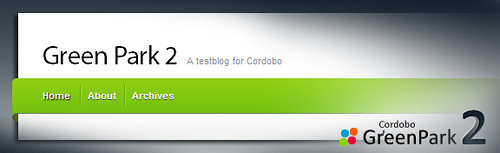
Cordobo Green Park 2 (GP2) has reached the Beta status after 8 Alpha revisions. The download is available at my WordPress Themes Page.
Apart from a new header graphic and more appealing forms and buttons, GP2 comes with a lot of code and CSS improvements, to render the website even faster along with typography and SEO optimizations. The Beta needs ~3KB less code on each created page compared to the latest alpha. The new settings page located at the WordPress Admin section, to configure Feedburner, Adsense and Analytics, has been cleaned up although.
Download Green Park 2 Beta 4 | Demo (Changelog)
Like it? Buy me a cup of coffee ;)
As you might know, coders love coffee — and I need a lot. If you like my free themes, feel free to send me 1$ for a coffee.
Comments
180 responses to “Cordobo Green Park 2 Beta 4”
I want the sidebar on every page the same as on the home page.
How can I do this?
I’m using beta 2
You need to edit the sidebar.php to fit your needs ;)
Hello, i really love your theme and i will put it in my blog!
But can you add more places to put ads? like top post or head.
Also when will release beta 3? :D looks nice the feature list
Beta 3 is now online.
can I get changelist of Beta 3 ? :) Thank You! Your theme is awesome :) cheers
You’ll find the changelist here:
http://cordobo.com/free-wordpress-templates/green-park-2/#todo
The Readme.txt for Beta 3 actually contains the same like for Beta 2, which is not a bug but an issue I fix with RC1 ;-)
Hi, I was wondering about something:
I decided to make a static page called “Welcome” as my Home page, instead of a blog (which is under “News”). Unfortunately, on the top link-bar in the green area, both “Home” and “Welcome” appear, even though they both point to the same page. Is there a way to eliminate the “Home” link on the bar?
Thomas,
open header.php and remove the line “<li class="page-item-home <?php if ( is_home() ) { ?> current_page_item <?php } ?>"><a href="<?php echo get_option(‘home’); ?>/">Home<a></li>”
That’s it.
I love the theme. But I am having trouble getting embedded YouTube videos sized 640×385 to fit properly. The main body of the template cuts part of the embedded video off.
The max. size for pics, flash or other media in the left (content) area is 576px width – the theme scales (no resizing) images to fit that size.
Otherwise it would be too big for a 1024×768 screen.
ahh Ok thank you for the answer. I may change the embed size of my videos as the 640 width ones bleed into the sidebar.
Thank you again :). its a gorgeous template.
Wish to customize this theme for my news site by updating some features. Would you customize it for me? Will pay for this. :)
Love the theme. Can’t see my google analytics there, even though I put code into your theme settings.
Can’t get google ads into end of post even though that code is put into your themes settings. I already ahve a google analytics plugin. Should I deactivate that?
Jenny,
please try to deactivate your plugins, one by one, and reload the page after you’ve deactivated a plugin and tell me, which one is incompatible with GP2.
Regarding the Analytics plugin – you don’t need a plugin (and can deactivate it), GP2 adds the analytics code to each site.
Did that and none of the plugins were incompatible. Google analytics is showing up on page source but google ads still not showing. I’ve put the recommended size code in GP2 theme settings.
Hmm, I see ads on your blog right now. Do you have any Ad-Blocker installed?
Maybe I should clear my cookies. I have one image ad down the side which I used a text widget for.
No I don’t ahve an ad-blocker installed.
You can see the Ads in action here ;-)
http://farm3.static.flickr.com/2190/3745164409_970c30408c_o.png
I can’t see anything in the flickr site or on my page.
I’m talking about the google ads for the foot of each post where you have provision in your theme.
Try this page:
http://www.flickr.com/photos/cordobo/3745164409/
that’s a screenshot I took from your website, it shows the ad below the entry.
Interesting. I’ll maybe log out to see them. Different coloured links than I made too.
Sorry to be such a drag. I’ve discovered that the ads appear when one goes to a specific post, not on front page.
Any way of tweeking it so ads appear on front page?
Puh ;-)
Yeah, the ads are only shown on a single page, neither on the frontpage nor on pages ;-)
Download the file http://cordobo.com/wp-content/uploads/gp2-index-ads.zip The ZIP contains the file “index.php”. Upload and replace the index.php in the themes folder with the new index.php, clear your browsers cache (and if you use a plug-in like WP-Supercache or similar) clear the WordPress Cache as well.
Now you should see ads on the homepage as well.
BTW: Feel free to send me 1$ from your earnings ;)
Thanks for all your support.
What earnings?
I’ve uploaded that new index.php file and cleared cache and I am still not seeing google ads on the front page after posts. Nor are my testers on other computers. Not that it really matters, but thought you should know.
Hi Jenny,
I deleted the “index.php” from my themes folder (online), uploaded “index-ads.php” to the themes folder, renamed it to “index.php” and reloaded the page.
Here is a working demo: http://themes.cordobo.com/
Please repeat the steps from above until you can see “Advertisement” below every entry.
I’ve done that, but posts are only appearing on about first 4 posts. Still better than nothing and I hope others are wanting this, so that you don’t have to do all this work for nothing.
That’s a limitation of Google Adsense, there is a maximum of 3 ads per page
https://www.google.com/adsense/support/bin/answer.py?answer=9735&topic=8425
Regarding the theme and it’s capabilities: I always want to improve the theme and so I love to get feedback – it helps me to create an easy to use theme lot of people can use “out of the box”. And that’s why GP2 is still in beta. User feedback find it’s way into the theme to a certain level – if a feature is useful for a lot of people. If a feature is very specific and only useful for one person, I recommend them to hire someone to add the customization.
Hallo,
habe jetzt auch das Theme zum Testen installiert (nachdem ich schon ewig die 0.9 eingesetzt habe) und es sieht echt super aus.
Aber so ganz “verstehe” ich das noch nicht: Nachdem ich alle Widgets deaktiviert habe, habe ich eine Sidebar. Wie bekomme ich 2 Sidebars jeweils rechts und links?
Und obwohl keine Widgets aktiviert sind, sind schon Punkte wie Seiten, Archiv, Links usw in der Sidebar. Wie bekomme ich die da weg, so das ausschließlich die aktivierten Widgets zu sehen sind?
Freue mich schon auf die deutsche Sprachdatei!
ah, die sidebars sind alle direkt nebeneinander auf der erchten Seite :-)
Ich habe aus der sidebar.php alle Einträge zu Seiten, Archiv, usw. entfernt und wollte das jetzt ausschließlich über die Widgets regeln, aber egal bei welcher Sidebar ich die Widgets einsortiere, ein echtes Nebeneinander kommt nicht zustande. Die Widgets werden jedesmal über die ganze Breite von zwei Sidebars gezogen …
Hi Basti, es wäre ganz sinnvoll wenn du die URI angeben würdest, dann könnte ich dir gezielt helfen — so habe ich 3-4 Ideen, was du meinst ;-)
Hab ich mir schon fast gedacht … ich hab’s nämlich erstmal nur lokal am laufen weil ich damit nicht gleich an’s Blog wollte. Da muß ich erst eine Zweit-Installation machen ….
so, ist jetzt unter http://www.one-brain-cellers.de/test/wptest/
Ich habe hier beispielhaft Meta, Seiten und Links jeweils als Widget in Sidebar 1,2 und 3 gezogen, aber irgendwie wird alles als eine Sidebar angezeigt.
Sidebar 1+2 sind komplett breit, sidebar 3+4 jeweils die Hälfte
Hello Cordobo,
I see that you added Localization in the last Beta 3 but i wondering where i can find the file to translate it cuz is not in the cordobo dir.
Hola Victorcx,
lo he anyadido en la última beta para q la gente puede probarlo y dame comentarios. El candidato release 1 (no sé si se dice asi ;) ) incorpora los ficheros po/mo para traducirlo.
Saludos cordiales
No encuentro los archivos po/mo.
Podrías indicar de donde bajarlos?
Gracias y excellent work
Todavia no estan listo, a partir de la proxima version los po/mo estarán en el archivo.
gracias, espero impaciente para implementar tu tema.
[…] Please leave your comment here if you use WordPress. […]